Oops! Something went wrong while submitting the form.

Release notes
Release notes
February 27, 2026
February Product Update
AI
February brings another strong round of updates to Lumana — including deepening our AI capabilities, expanding what’s possible from the mobile app, and introducing new tools for smarter investigations.
AI
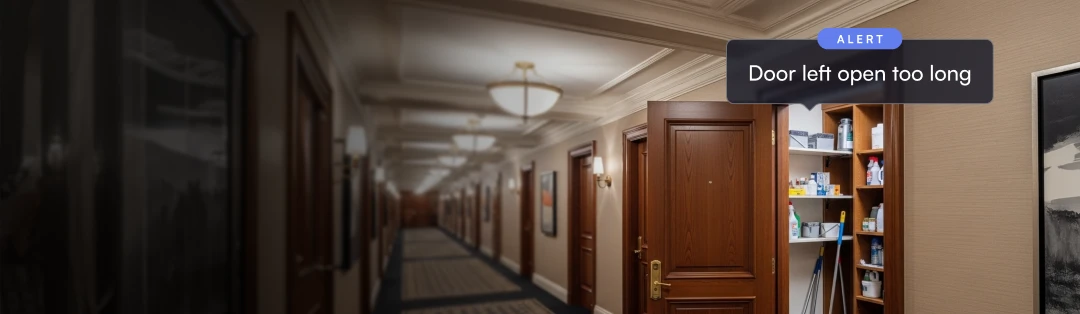
Custom States — Detect and monitor the state of objects in your environment and receive alerts when conditions change or persist beyond a set threshold. For example, get notified when a door has been left open for longer than a specified period, or search for specific door transitions, making it easier to enforce access policies and respond to anomalies.
VMS+
Push to Talk on Mobile — Communicate directly through the mobile app with a single tap, making it easier to deter or resolve events in real time from anywhere.
Multi-Parameter Search on Mobile — Layer multiple search parameters and attributes from the mobile app to conduct the same powerful video investigation capabilities as the web app.
Suspicious Person Report — Quickly build a report to understand when and how often suspicious people have appeared across sites, helping identify patterns before they escalate.
Alarm Monitoring Activity Review — Get full visibility into the alarm monitoring workflow, including verification requests, status updates, responses, and linked alerts.
Hikvision Speaker Support — Natively add Hikvision speakers to Lumana to play audio patterns and sounds when an alert is triggered, enabling faster on-site response without additional integrations.
View more
View less
Release notes
Release notes
January 30, 2026
January Product Update
AI
This January we are introducing several exciting updates including major updates to the VMS+ product, AI tuning, and general app / camera optimizations. This release adds retail shelf monitoring, occupancy reporting, map objects, zone trespassing, license plate tracking and more. View the full update for details into everything released this month.
VMS+
Occupancy Report — Generate one-time or recurring PDF reports summarizing occupancy activity over a user-defined time range for easier viewing and documentation.
Tags — Assign tags to devices, locations, and events to improve search, filtering, and overall system organization.
Map Objects — Add cameras and other objects directly to the map view to better understand system coverage across large or distributed sites.
Critical Alerts on Mobile — Receive high-priority alerts with a loud notification sound, even when phones are muted or in Do Not Disturb.
Live and Playback Recording on Mobile — Record live and historical camera footage directly from your phone and instantly share it as an MP4.
Wall Playback — Investigate incidents directly from Lumana Walls by entering playback mode and reviewing events through an interactive timeline, without leaving the wall view.
Address and Device Lookup — Quickly jump to the right location by searching for an address or device name.
Admin Management Portal — A new portal for partners and customers to monitor their organization, troubleshoot issues faster, and improve support visibility.
Optimization
New Camera Live View on Mobile — View live streams in a continuous scrolling list for a smoother, more intuitive mobile experience.
Free Text Search on Mobile — Search video using natural language or voice prompts directly from the mobile app.
AI
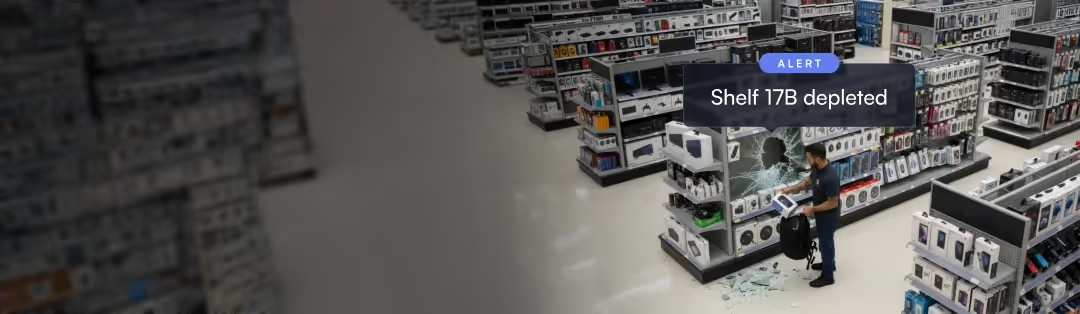
Retail Shelf Monitoring — Monitor shelf activity and receive alerts when inventory drops below a set threshold or changes unexpectedly fast.
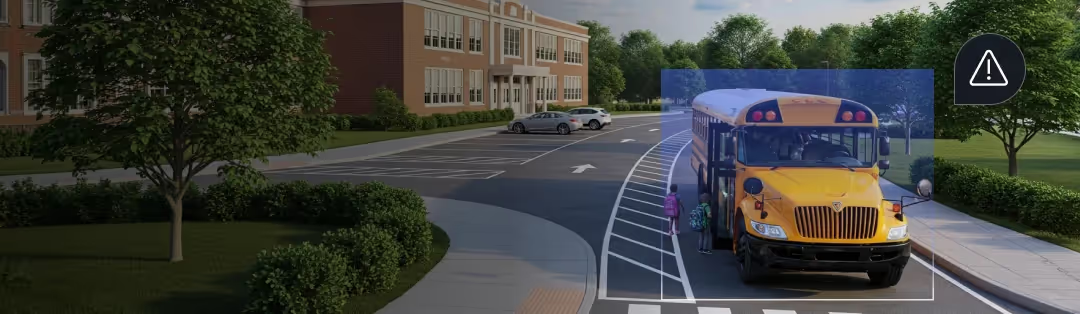
Zone Trespassing — Define approved and restricted zones to trigger alerts when someone enters an area they shouldn’t be in, improving perimeter and access enforcement.
Enhanced Fall Detection — Identify when someone falls and does not get back up, reducing false alarms from normal movements like bending or tying shoes.
Track License Plates — Track a specific license plate across all cameras to quickly understand where a vehicle has appeared on site.
Cameras
Add Cameras in Bulk — Add multiple cameras to a Core in a single action to dramatically reduce setup and installation time.
View more
View less
Release notes
Release notes
November 25, 2025
November Product Update
AI
This November, we’re introducing several new updates that make Lumana easier to tailor to your environment and faster to use during investigations. This release adds Custom Object Search & Alerts, new ways to organize and view your cameras, direct alert delivery to Microsoft Teams and FLIR, quicker navigation from alerts to full camera details, and 24/7 customer support so you can reach Lumana whenever you need help.
AI
Custom Object Search & Alerts — Train Lumana to recognize objects unique to your environment, such as fleet vans, emergency vehicles, or distinct uniforms, making detections more accurate, relevant, and actionable.
Support
24/7 Customer Support — Reach Lumana support at any time by email or in-app ticket when you need help with issues, configuration, or active incidents.
Lumana Status Page — View live system status, uptime over the past 90 days, and any reported past incidents.
VMS+
Custom Wall — Build flexible monitoring walls by dragging, resizing, and arranging camera and alert tiles so operators always see the most critical views first.
Device Page Reorder — Drag and drop locations and cameras into an order that matches your preferred layout, helping teams find the right view faster during investigations.
Shortcut to Camera Page — Jump directly from an alert to the camera’s full page, eliminating extra clicks when you need live video, playback, and status in one place.
Microsoft Teams Integration — Deliver Lumana alerts and notifications directly into Teams channels so users see and respond to events in the tools they already use.
FLIR Integration — Send Lumana alerts into your existing FLIR VMS so operators can act on AI detections without leaving their familiar interface.
Optimization
Enterprise Authentication — SAML and SCIM with Microsoft Entra ID are now available, allowing users to sign in with their existing identities and enabling IT to centrally manage and automate access.
View more
View less
Release notes
Release notes
October 29, 2025
October Product Update
AI
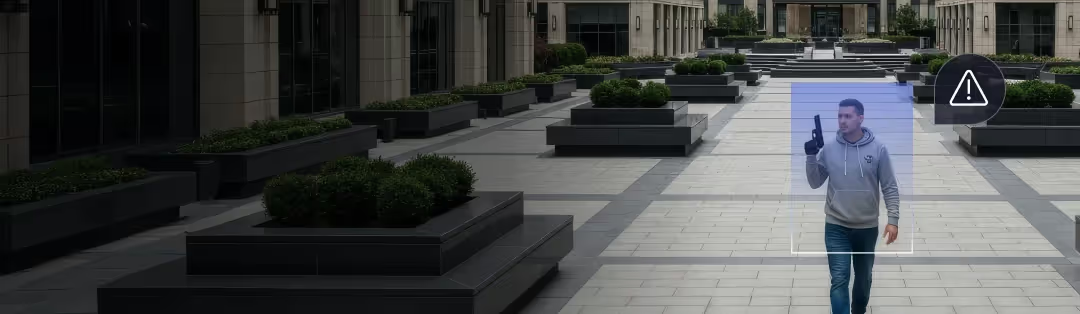
This October, we’re introducing Gun Brandished detection, an AI upgrade that recognizes the behavior of a gun being drawn or pointed, not just a static object. By distinguishing “gun brandished” from “gun detected,” you get fewer false alarms, clearer context of actual threats, and faster, more confident response.
AI
Gun brandished — Detects when a gun is actively drawn or pointed, with multi-layer AI verification to cut false alarms and optional alarm monitoring for live human alert verification and automatic emergency dispatch.
View more
View less
Release notes
Release notes
September 30, 2025
September Product Update
VMS+
This September, we’re introducing several updates across the Lumana platform that make investigations faster and streamline day-to-day workflows. This release includes a new dedicated Access Control page with video-linked events, an updated Devices page for unified device management, time zone-aware search for multi-region teams, and low-latency local live video on web and mobile. Let’s explore what’s new.
VMS+
New Access Control Page — Added a dedicated page for reviewing access control events. Filter by time, user, site, device, or event type, view linked video clips, add comments for context, and share events with your team.
Updated Devices Page — A redesigned view consolidates all devices (cameras, doors, cores, speakers, and more) into a single dashboard with device health status and intuitive filters.
Search with Time Zone Selection — Users can select the time zone to apply when conducting an investigation, making it easier to work across multiple regions.
Optimization
Low-Latency Local Live View — See live video with near-zero delay on web and mobile.
View more
View less
Release notes
Release notes
August 27, 2025
August Product Update
VMS+
Following the largest Series A round in physical security, we’re moving fast to deliver innovations that make video intelligence more powerful and proactive than ever. This release introduces advanced text-based search across video, alarm monitoring with human verification and emergency dispatch, and a suite of enhancements that improve visibility, control, and efficiency across your operations. Let’s dive in.
VMS+
Dark Mode — The web app now supports dark mode for a modern, comfortable viewing experience.
Fisheye Dewarping — Fisheye dewarping is here. Easily view live dewarped video with digital PTZ capabilities or tile view for greater situational awareness.
Time-lapse — Generate time-lapse videos from any camera for faster reviews and visual summaries.
Audio Recording — Audio is now supported across both live view and playback. Recording can be enabled/disabled at the organization or camera level.
Alarm Monitoring — Alerts can be sent to our monitoring center for real-time incident verification and automatic emergency dispatch.
Low Bandwidth Mode - To further improve bandwidth efficiency, users can now set the substream for analytics and use the main stream only when HQ streaming is requested.
AI
Free Text Search — Search video with natural language queries.
Smoke Detection — Fire alerts now include smoke detection for more proactive alerting and response.
Training Control — Users can now fine-tune AI training. Options include deleting custom models, limiting updates, or stopping model training once performance is satisfactory.
Mobile
New Single Camera Screen — A refreshed single-camera view now includes live view, playback, and info tabs in one streamlined layout.
View more
View less
1 / 4
Have a question?
Fill out the form below for additional support.
Thank you, you are in!
Oops! Something went wrong while submitting the form.
Submissions will be used in accordance with our Privacy Policy.